
How to Redeem Your Bundle Purchase for the Digital App Study Notes
Thank you for buying an Ignatius Catholic Study Bible Bundle. If you need help setting up the digital app Study Notes aspect of your purchase, then this should help:
What to expect:
- After a bundle purchase (physical book and digital CSB app Footnotes), you will receive an email immediately from support@truthguard.org similar to the image below. Why TruthGuard and not Ignatius Press? Because TruthGuard created, maintains and supports the app platform for the Catholic Study Bible and TruthGuard handles all account and IT issues for the app. (If you don't see this email, check your spam/junk email folder.)
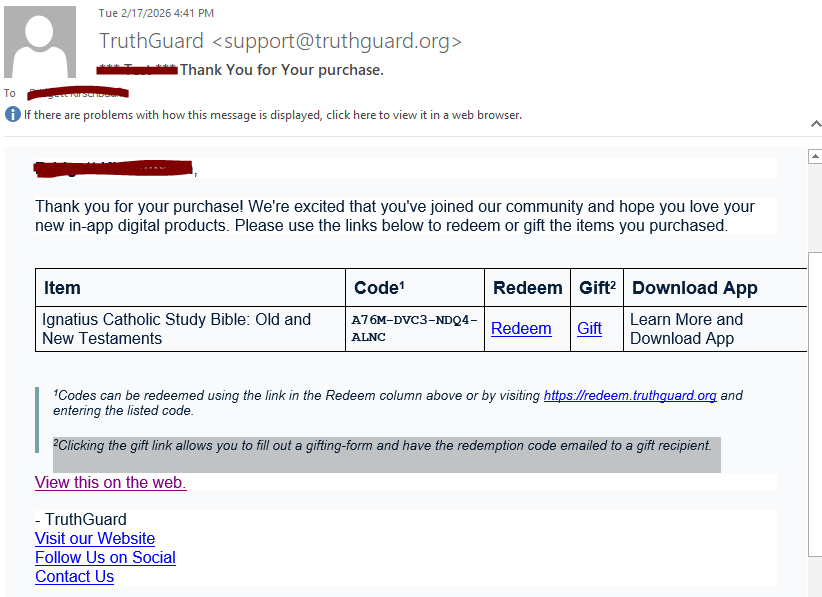
- If you purchased the digital Study Notes for someone else to use, click on the “Gift” link in the email and fill out the online form indicating who should receive your gift. But if you purchased this for your own use, click on the “Redeem” link in the email.
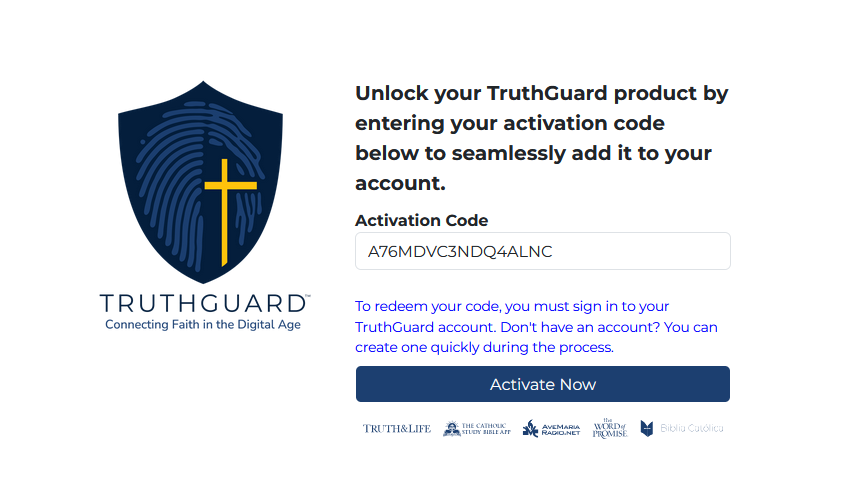
- Clicking on Redeem opens a webpage with your unique activation code for the Study Notes add-on already entered in the form. This is a one-time use code associated with your ignatius.com purchase. Click on the “Activate Now” button.
- After clicking the button, you will be directed to either log into your existing Catholic Study Bible App account or to create one. The image here is of the Catholic Study Bible app. If you don’t have the app yet, you can download it from your normal app store. There is also a web version of the app.
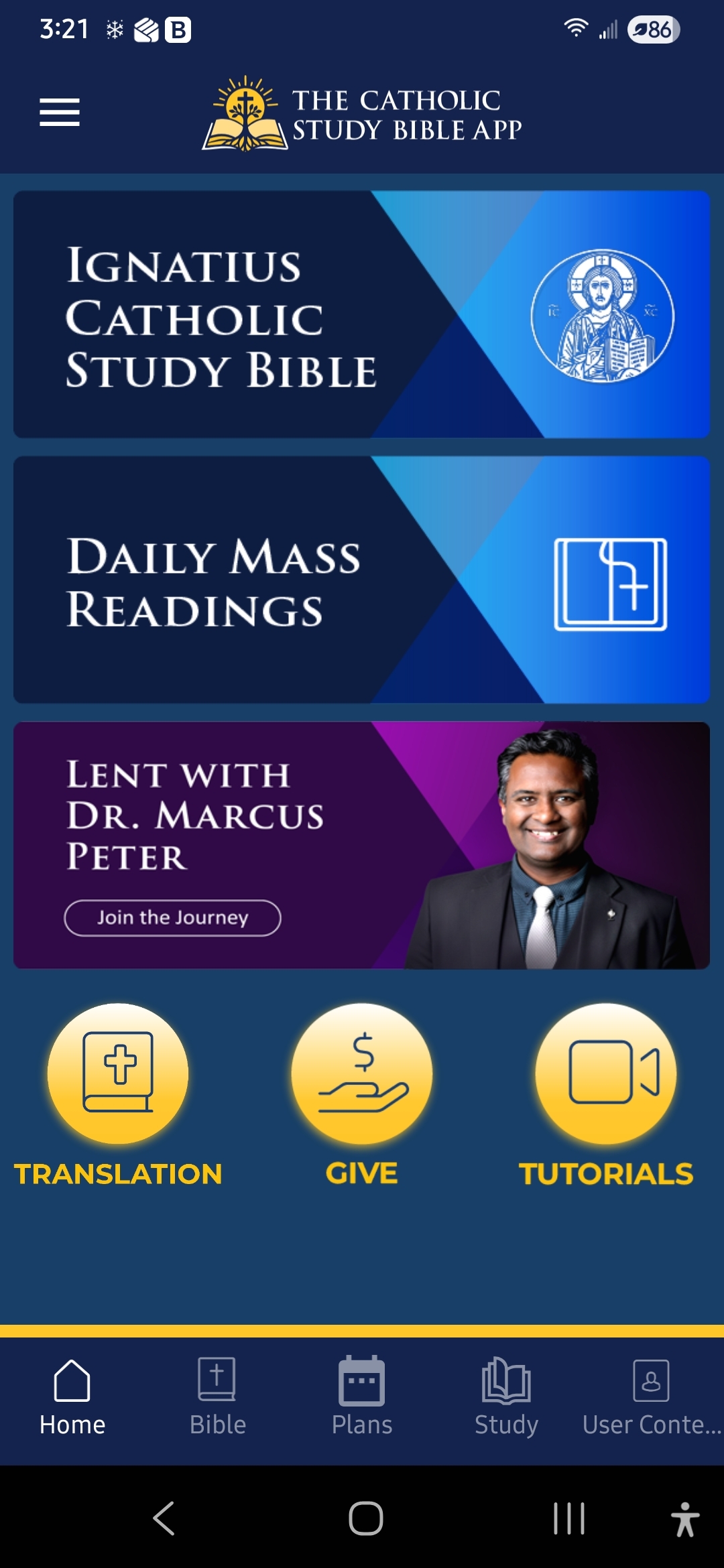
(For more info on the app and to access web version of the Bible, go to: https://www.catholicstudybible.org/)
IMPORTANT: The Catholic Study Bible app is not the same as the Ignatius Press app, where all your other digital Ignatius Press purchased products can be found.
In summary:
Purchasing the bundle on Ignatius.com provides you with an activation code for the Study Notes in the Catholic Study Bible app. The app has the entire Bible for free, but the special Study Notes are a paid add-on in the app.
If you have a Catholic Study Bible app account already, click on the Redeem link, click the Activation button and then log into your account and the Study Notes will now be there.
If you don’t already have the app or an account, we recommend downloading the app and creating an account before redeeming the Study Note purchase, but you can also create an account during the redemption process.
For all further support of the app, you can contact support@truthguard.org or support@catholicstudybible.org
If you can't find your authorization email from TruthGuard, just email them and state the day you purchased the bundle from ignatius.com, the website order number if you have it and the email you used when purchasing the bundle and they can resend the authorization email to you.
Inside the app, there is also a Contact Us menu where you can get help.